boards
INS10-A3: 10-DoF orientation sensor for Raspberry Pi Pico
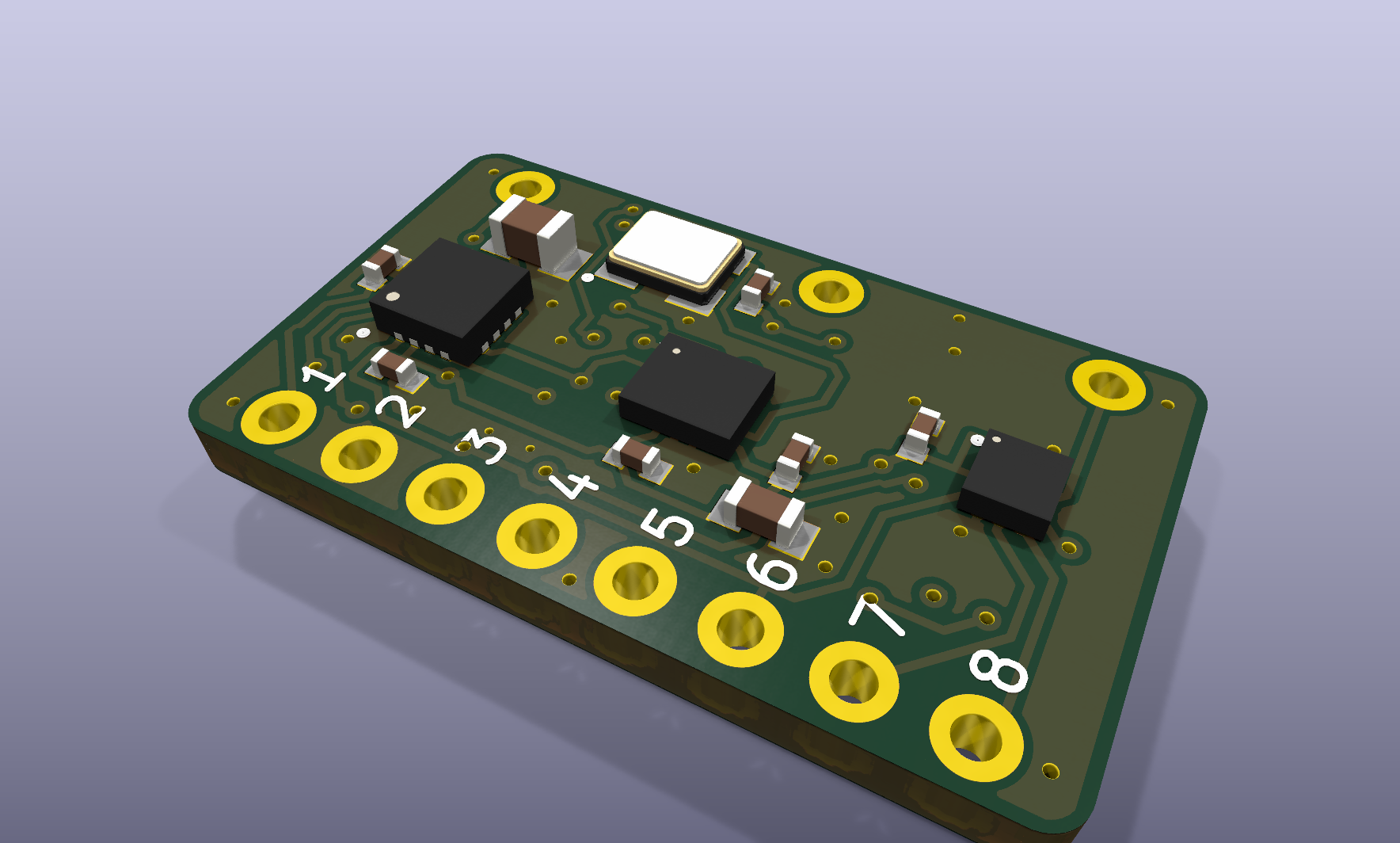
A 22.5 × 13.2 mm module with a 6-axis IMU (ICM-42688-P), a 3-axis magnetometer (MMC5983MA) and a barometer (LPS22DF) on one SPI bus. A 32.768 kHz oscillator clocks the IMU at exactly 512 Hz. Wire it to a Pico or Pico 2, flash the free firmware, and get a full 360° orientation over USB. Then calibrate it step by step in the free INS10 Studio app, on a jig you print yourself.
| Sensors | Gyroscope ±2000 °/s, accelerometer ±16 g (20-bit), magnetometer ±8 G (18-bit), barometer 260–1260 hPa |
| Output | Quaternion, roll, pitch, yaw, compass heading, uncertainties, raw data; up to 200 Hz orientation over USB |
| Filter | Extended Kalman filter at 512 Hz with gyro bias tracking, temperature compensation and adaptive rejection of accelerations and magnetic disturbances |
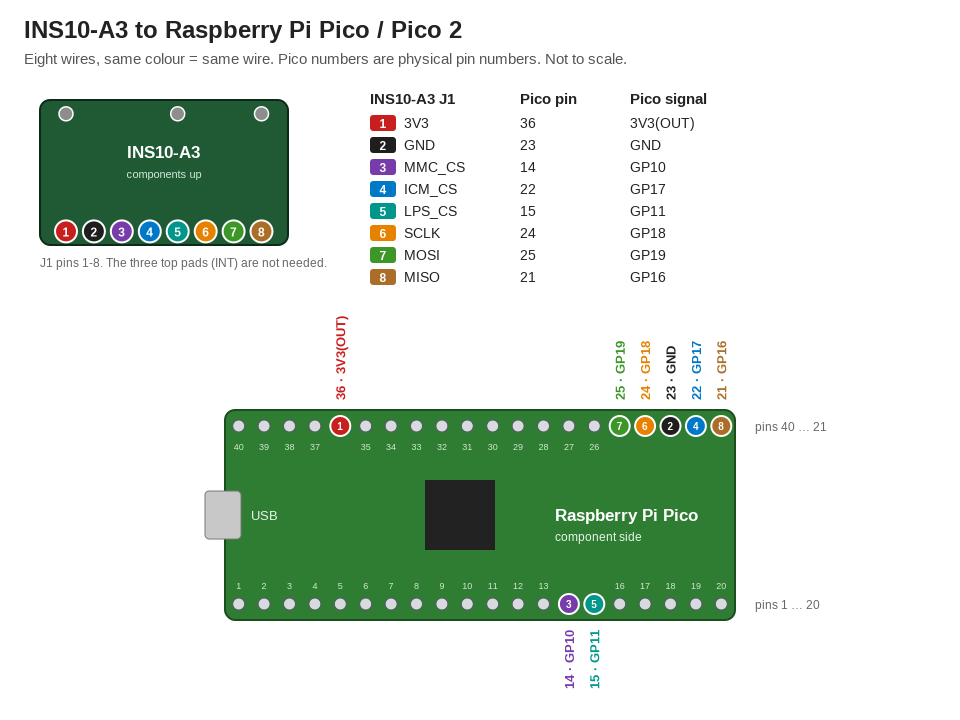
| Interface | SPI, 3.3 V, 8 wires to the Pico |
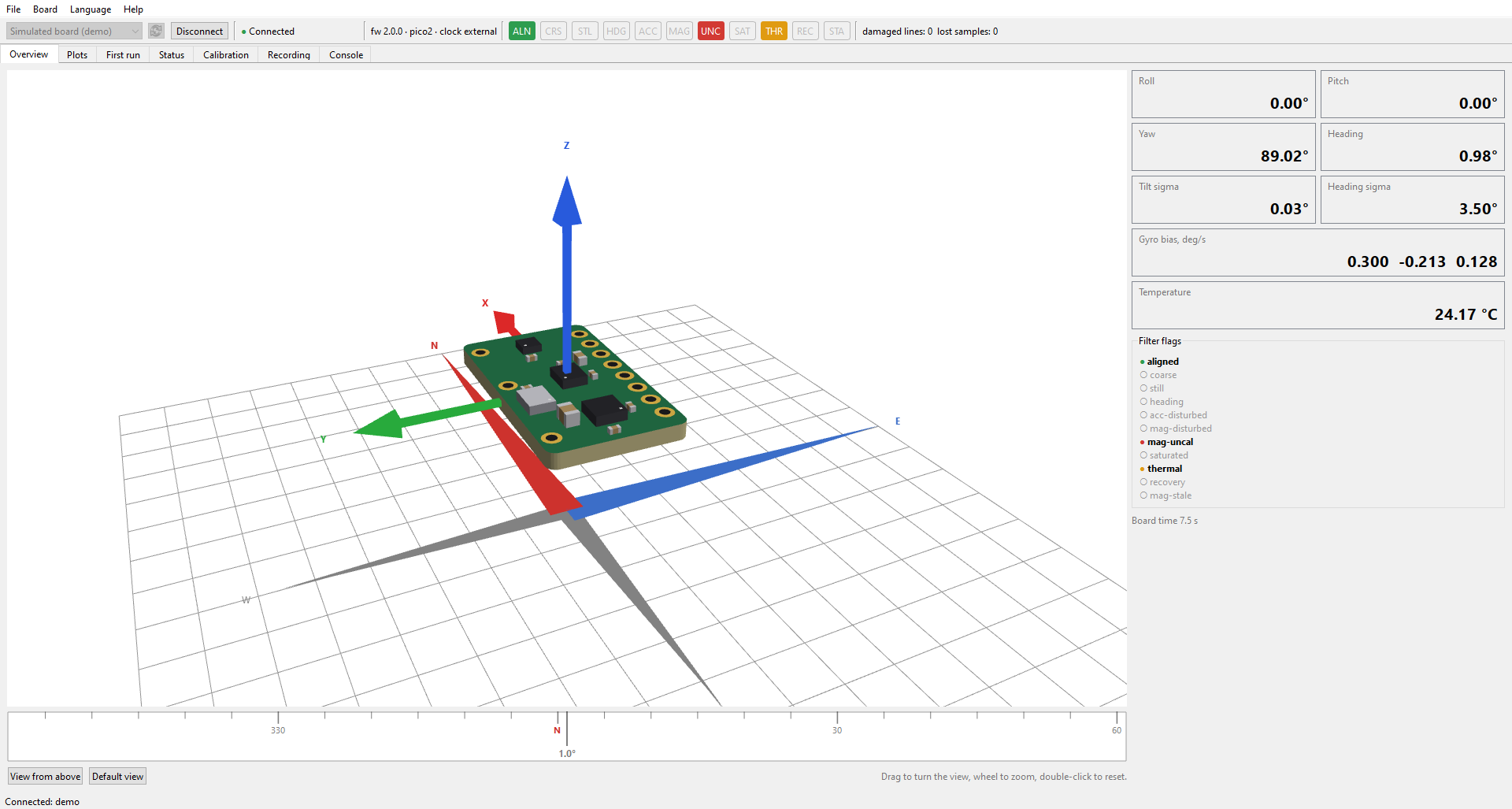
| Software | Open-source firmware for Pico/Pico 2 and INS10 Studio for Windows |
Documentation
| Document | English | Українською |
|---|---|---|
| Getting started: wiring, flashing, Studio, calibration, troubleshooting | User guide | Посібник |
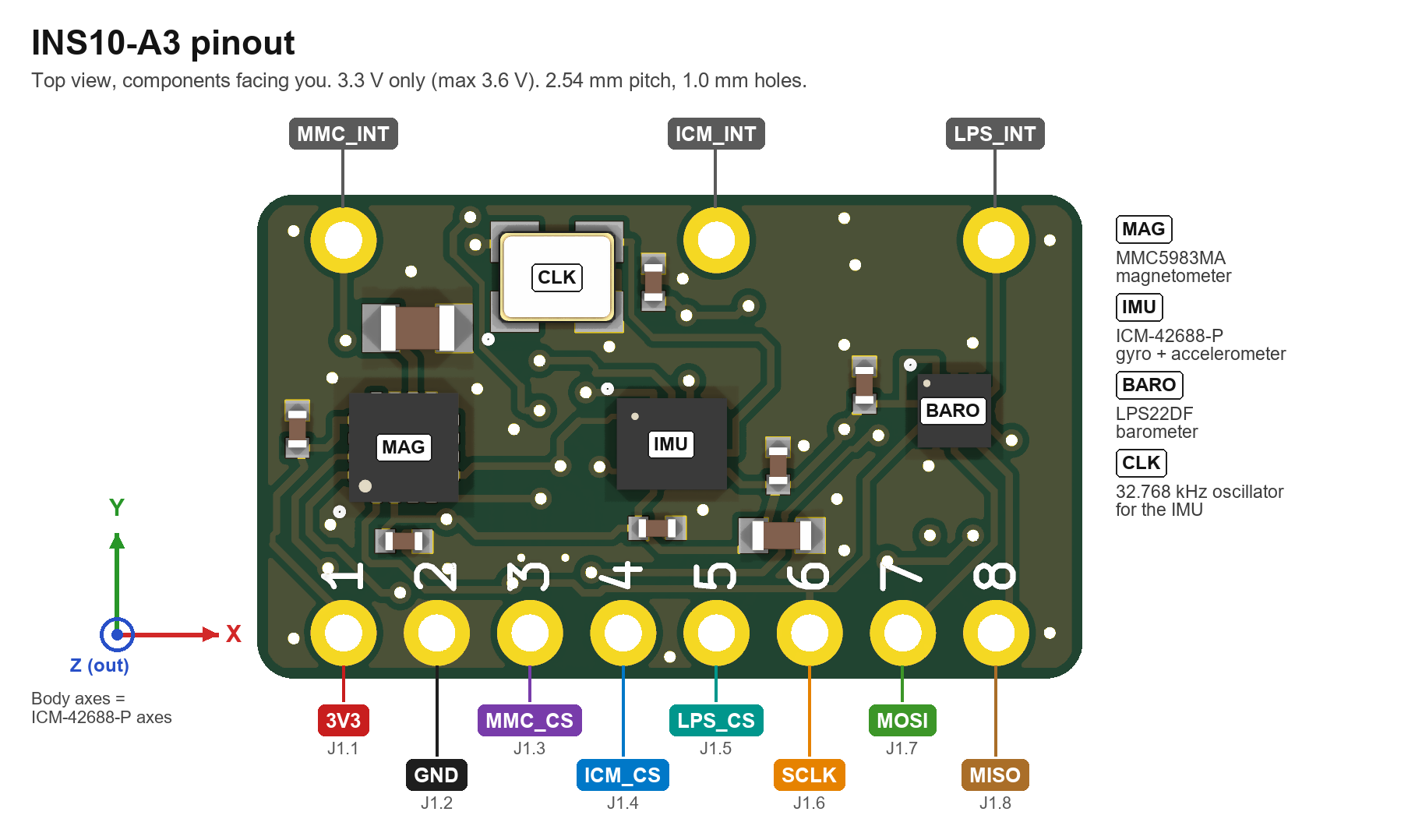
| Specifications, pinout, dimensions, axes | Datasheet | Технічний опис |
| USB commands and data streams | Protocol | Протокол |
| Calibration jig: print, assemble, change sizes | User guide, section 8 | README підставки |
Developer documentation (in Ukrainian): firmware, filter algorithms, INS10 Studio.
Pictures
 |
 |
 |
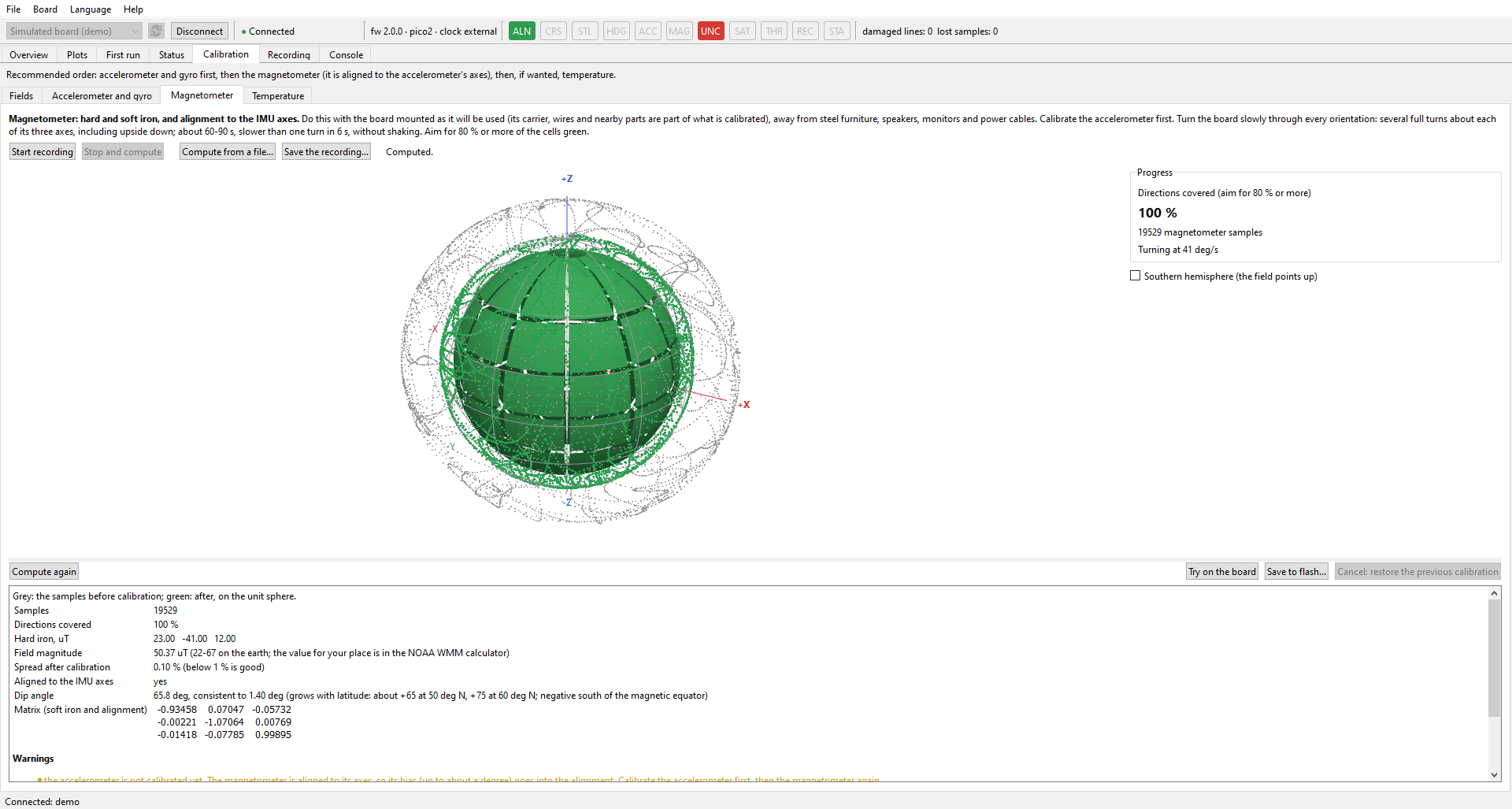 |
Ready-made files
The firmware for Pico and Pico 2 (.uf2) and INS10 Studio for Windows (.zip) are on this repository’s Releases page, in the releases whose names start with ins10-a3. To change them, build them from the sources here: see the firmware and INS10 Studio READMEs.
Folder contents
| Path | What |
|---|---|
firmware |
The ins10_ahrs firmware: sources, build scripts, host tests, the fusion library (portable C11) and the Python calibration tool |
studio |
INS10 Studio: C++20/Qt 6 sources, tests, build and deployment scripts |
calibration-jig |
The calibration jig: STL files to print, STEP, the FreeCAD model and the script that generates them |
docs/en, docs/uk |
Buyer documentation |
images |
Renders, pinout, wiring diagram, Studio screenshots, jig preview |